Categories
Trading Competition
On your mark... Get set... TRADE!
Ready to compete in the WeathCharts Trading Competition? To register and enter, click the trophy icon at the top right corner.
(If you are joining the competition via a mobile device, check out the video below!)
Click on the competition that is live in the menu that appears at the center of the screen.
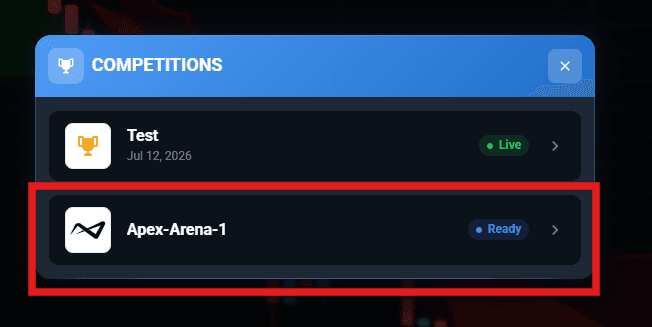
Then click on the Join Competition button at the top right again, then enter your Display Name in the next menu. In this menu, you can also upload your own profile picture for the competition! Just be sure to read the disclaimers and terms of conditions when signing up for this competition. Once you’re done here, click the blue Join the Competition button.
After that menu goes away, this is where you can see the rankings and your current stats during the current competition. To get back to the platform, click “return to platform”.
When the competition starts, click on the status icon at the top of your screen, and you will see the name of the competition in the list that shows up. Select it, then select your account, and then you will be connected to the Competition system to begin placing trades.
To learn more about placing trades and different kinds of orders, be sure to check out the related articles below.
Good luck with the trading competition! For any further questions, head over to our all-day support room by clicking on Live Support at the top right corner.
Here is a video covering the instructions above:
To combine your regular prop trading with the competition account, be sure to connect via OmniProp! Check out the video below for an example:
Trade Competition on mobile devices: