Chart Features & Settings
Updated
Take your technical analysis to the next level — right from your phone!
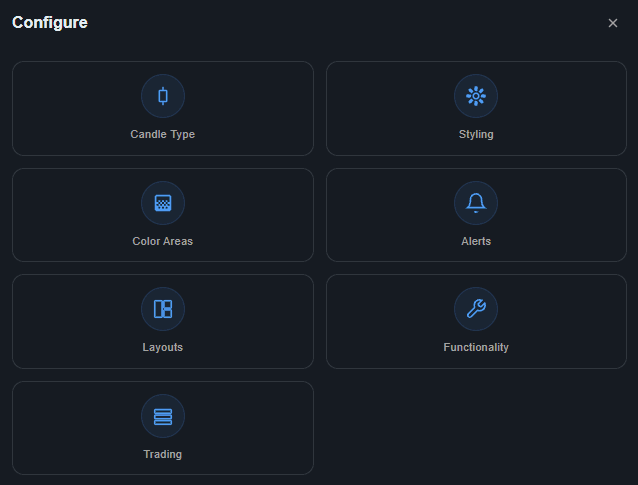
To open the Chart Features & Settings menu, tap the Configure button on the Chart Toolbar at the bottom of your screen. From there, you will see the following options:
Candle Type: Tap this to open the Candle Type Menu, where you can switch between different candle styles for your selected chart. The available styles are Candle, Line, Area, OHLC Bars, Heikin Ashi, and Kagi!
Styling: Tap this to open the Styling Menu, where you can customize the look of your chart, including candle colors, chart background, active chart header, and much more!
Color Areas: Tap this to open the Color Areas menu, where you can add color areas to your chart with a variety of customizable options.
Alerts: Tap this to open the Alerts Menu, where you can create a price alert for the selected chart's symbol and view any active or triggered alerts. Please note that price alerts are currently only available for LMAX Data, Equities, and ETFs.
Layouts: Tap this to open the Layouts Menu, where you can change the number of charts displayed on your screen and adjust how they are positioned!
Functionality: Tap this to open the Functionality Menu, where you can change a bunch of different settings on your chart.
Trading: Tap this to open the Trading Menu, where you can adjust settings regarding how your trades are placed and adjusted.