
Earnings
Updated
The earnings feature in WealthCharts is a robust tool for analyzing data about past and upcoming earnings reports. Here, you will find all the necessary details when analyzing earnings numbers – expected and factual numbers, surprise %, and more. Below are the columns within the Earnings component:
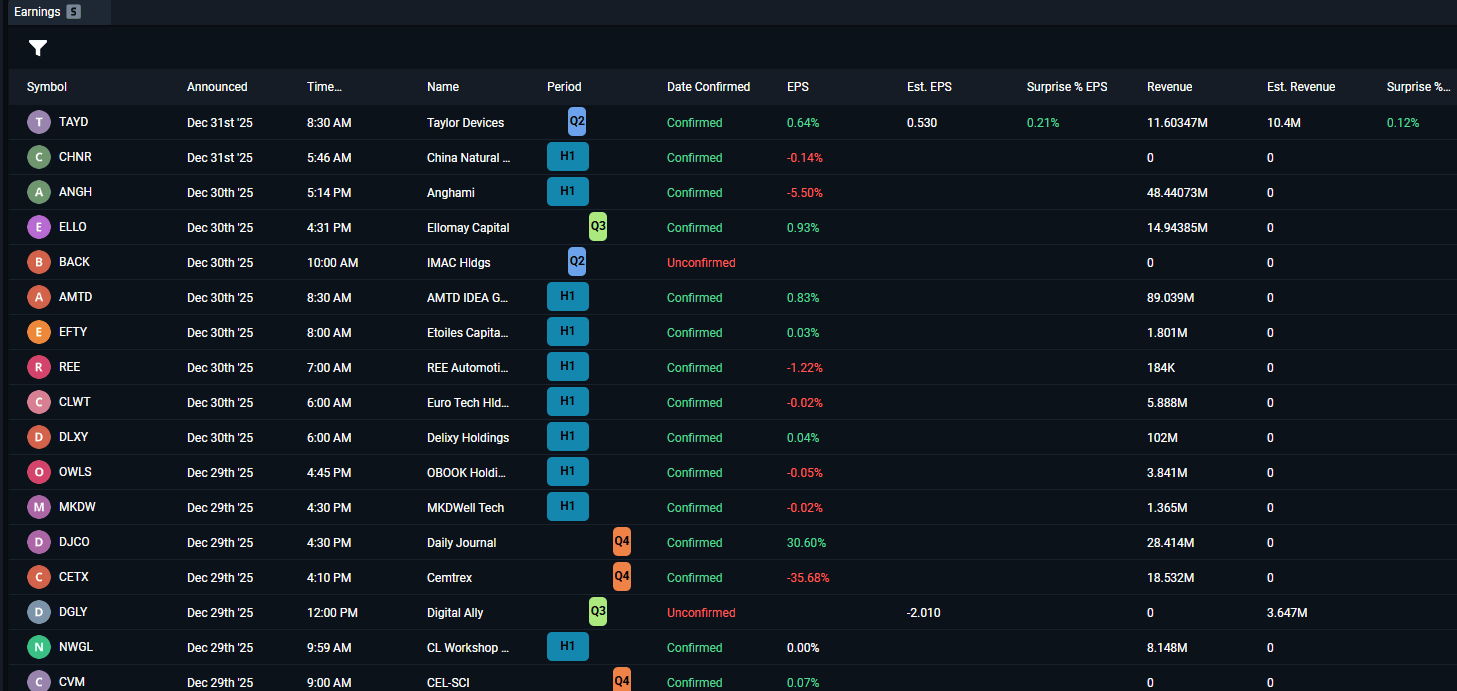
Symbol: This represents the symbol for the stock.
Date Announced: The date the earnings will be announced.
Time Announced: The time the earnings will be announced.
Name: The name of the Company.
Period: This represents the reporting period for the earnings. For example Quarter 1, Quarter 2, etc.
Date Confirmed: Determines whether or not the date of the earnings call has been confirmed.
EPS (Earnings per Share): A metric that shows how much profit the company made for each share of its stock.
Est. EPS: The estimated Earnings per Share which is a forecast of the company's profit allocated to each share of its stock.
Surprise % EPS: This measures the difference between a company's reported actual Earning per Share and the average analyst expectations.
Revenue: The total amount of money a business brings in from selling good and services before any expenses are subtracted.
Est. Revenue: A calculated forecast of the total money a business expects to bring in over a specific period.
Surprise % Revenue: The difference between a company's actual reported sales and the average analyst expectations.
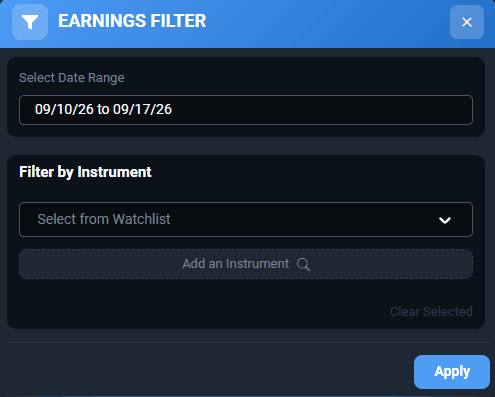
Symbol filters are available if you are looking for earnings numbers for a specific stock or watchlist, and date ranges can be adjusted, including future dates if you are looking for upcoming earnings dates! These can be applied by clicking the funnel icon in the top left of the Earnings component.
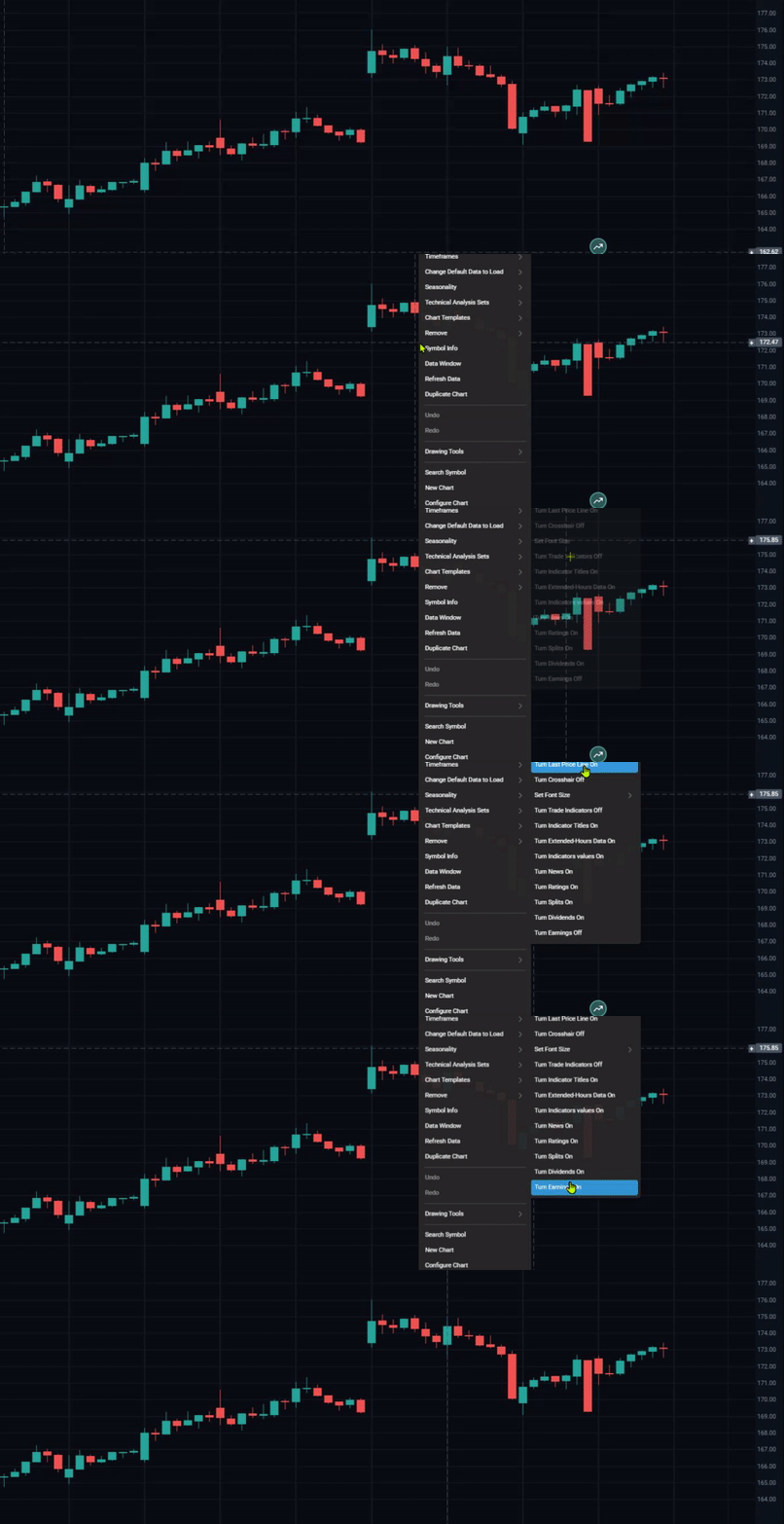
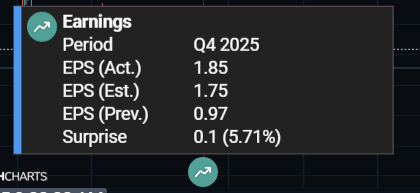
Earnings can also be displayed chronologically, directly on your charts. To enable this, right click your chart and select Global Chart Settings > Turn Earnings On. The Earnings event on your charts is a green one, and can be clicked for some extra details:
To see Earnings in action, please watch the video below: