
How to make simple bracket orders
Updated
Simple Bracket Orders are a very commonly used order type that allows the user to predefine a Stop Loss and Take Profit level before placing an order or opening a new position.
In the Trading Bar located at the top of the chart or platform, there is a Brackets section where you can begin creating your Simple Bracket strategy.
If the order panel is located to the side of the chart, there is a toggle that turns on the menu for Simple Brackets.
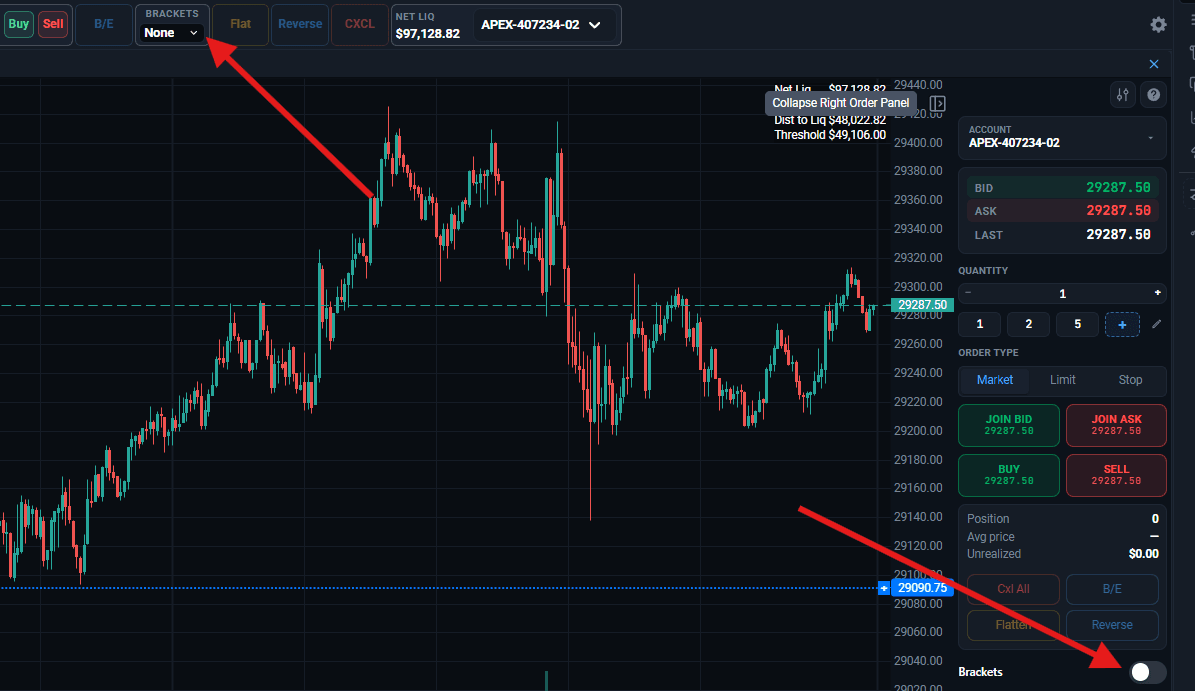
Having selected the Simple Bracket, you will now have two fields with checkboxes available to you: Take Profit and Stop Loss. One, or both of these items can be utilized for a trade – make sure to check the checkbox next to the level you want to use. If you are using the Top Trading bar, you will NOT need to select a checkbox. The system will be waiting for you to enter a value in the field.
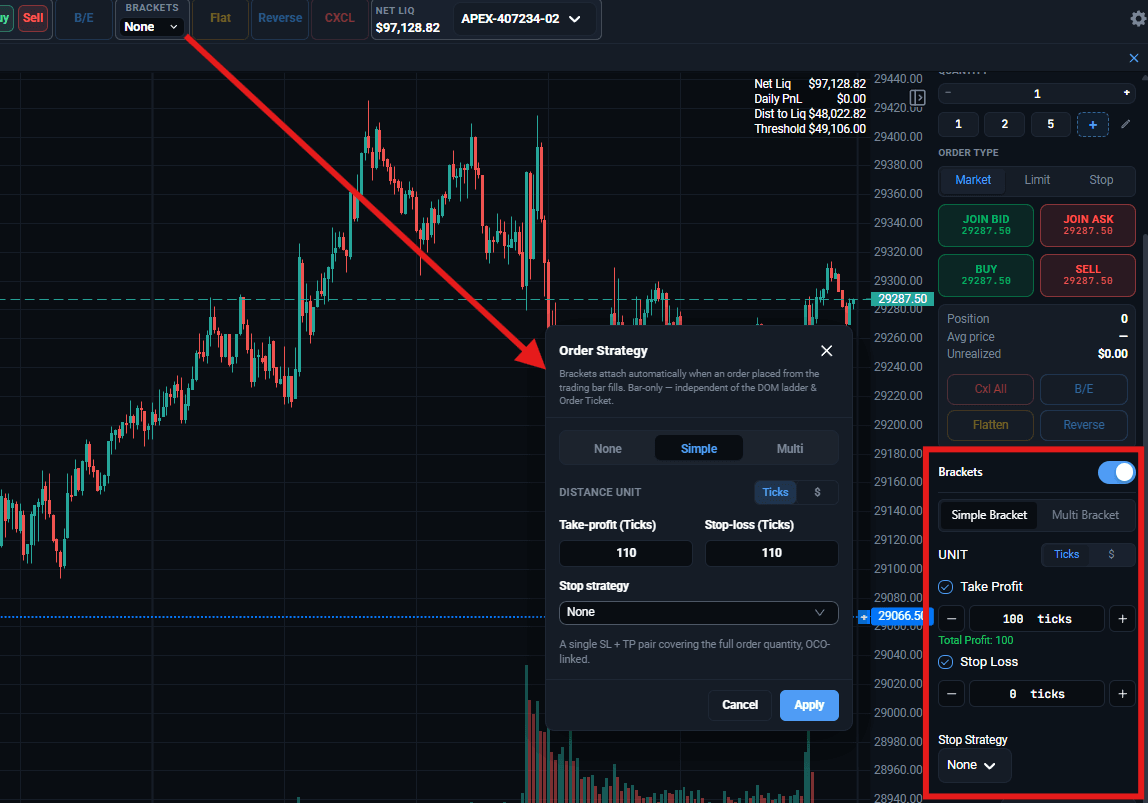
The take profit is a pending order that gets placed at a price level ahead of the trade direction, with the goal of securing your profits when that price level is reached.
The stop loss is the opposite – a pending order that gets placed at a price level behind the direction of the trade, with the goal of cutting your losses if your trade goes against you and reaches that price level.
Both the Stop Loss and the Take Profit can be specified in ticks, the distance between price levels in your price ladder, or in dollars.
Stop Strategy
If the Stop Loss option is enabled, you also receive access to the Stop Strategy dropdown, which can be set to “None” (a regular stop loss), a Trailing Stop, or a Breakeven Stop.
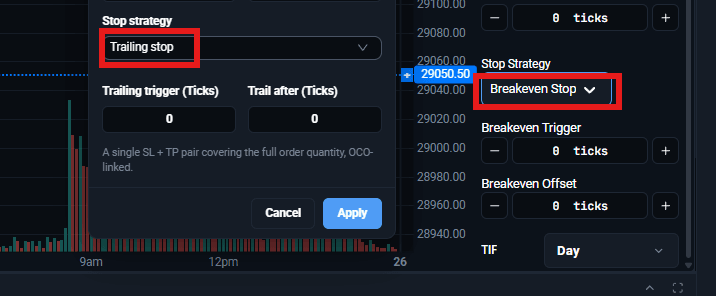
Trailing Stop – This stop strategy allows you to set up an additional Stop Trigger setting. The idea of a trailing stop is to keep updating your stop loss if the trade moves in a favorable direction – this way your stop loss will always stay at the same distance from the current market price. The Stop Trigger setting is a “sensitivity” setting – this is the amount by which the price should move in the direction of the trade, before the Stop Loss gets updated.
Breakeven Stop – This stops strategy allows you to update the stop loss level once a predefined profit floor has been reached. If a trade goes in a favorable direction for you by the amount of ticks or dollars specified in the Breakeven trigger setting, the stop loss gets updated to the value that is provided in the Breakeven Offset setting.
To learn how to make Multi-Bracket orders, click on the related articles below!