Categories
Custom Timeframes
There are traders out there who may look for a 6-minute timeframe. There are some who might look for a 55-minute timeframe. If that's you, we have you covered! Simply right-click on any chart and head over to the Timeframes section. Below the pre-built timeframes, you will see two different sections for custom timeframes.
My Timeframes: This shows you all of the custom timeframes you have already made so you can easily go back and refer to them when changing the time on your charts! To apply a custom timeframe you have already created, you can hover over My Timeframes, then click the timeframe you want to apply.
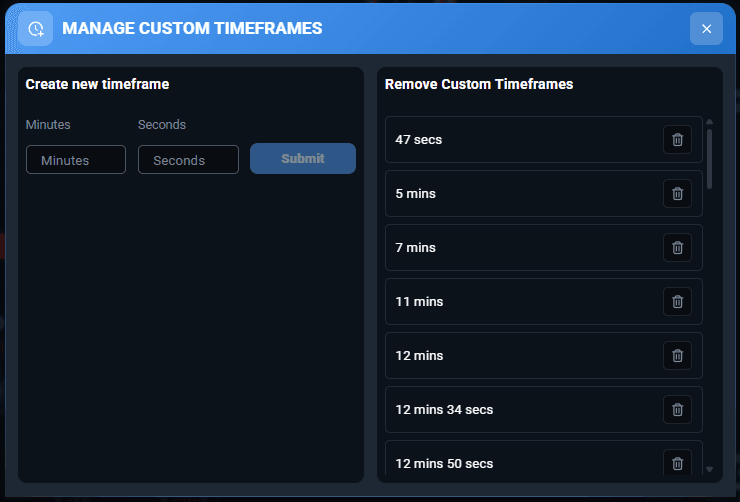
Manage Custom Timeframes: This is where you can begin creating the different timeframes and adding them to your account. You can make as many as you want, so don't be bashful!
Tip: If you do not see the Custom Timeframe options in the right-click menu, try accessing this at the vertical chart toolbar over on the far left side by clicking on the clock icon.